

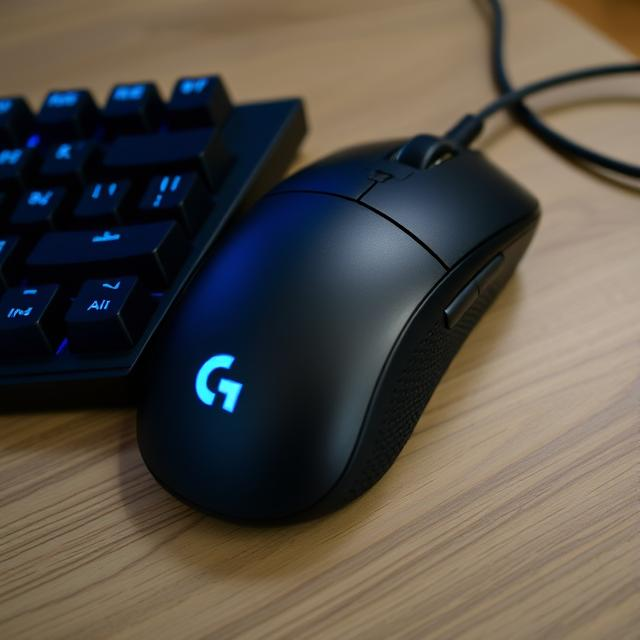
When it comes to enhancing productivity, the right tools make all the difference. Whether you’re working from home, in an office, or on the go, a reliable, efficient, and ergonomic mouse is crucial. Enter the Logitech MX Master 3S – a mouse that has garnered attention for its sleek design, advanced features, and exceptional performance. If you are looking for a mouse that can help you work smarter and more comfortably, this is the device you need.
In this article, we’ll explore why the Logitech MX Master 3S is so highly regarded in the world of computing peripherals. From its ergonomic design to its cutting-edge technology, we’ll break down the features and benefits that make this mouse stand out. Whether you’re a professional, a student, or someone who just enjoys using high-quality technology, this review of the Logitech MX Master 3S is for you.
The Logitech MX Master 3S: A Perfect Blend of Form and Function
At first glance, the Logitech MX Master 3S impresses with its modern, sleek design. It’s a visually appealing mouse that fits perfectly into any workspace. But it’s not just about looks – this mouse is built with purpose. Its ergonomic design ensures that your hand and wrist remain in a natural, comfortable position, reducing strain during long work hours.
This mouse is part of the Logitech MX Master series, which is known for offering premium productivity features and ergonomics. The MX Master 3S takes everything great about its predecessor, the MX Master 3, and elevates it to a whole new level. Let’s dive into the features that make the Logitech MX Master 3S such a top-tier choice.
Ergonomics That You’ll Appreciate
If you spend a significant amount of time at your desk, then comfort should be your top priority when choosing a mouse. The Logitech MX Master 3S is designed with ergonomics in mind, featuring a sculpted shape that fits perfectly into the contours of your hand. The curved shape and the well-positioned thumb rest ensure that you can use the mouse for hours without experiencing discomfort.
Additionally, the Logitech MX Master 3S features an updated design that’s specifically engineered to provide more support for your hand and wrist. The materials used in its construction are soft and pleasant to the touch, offering a luxurious feel that enhances the overall experience. Whether you’re browsing, working on documents, or designing, this mouse makes all your tasks more comfortable.
Cutting-Edge Technology for Seamless Control
One of the most impressive features of the Logitech MX Master 3S is its advanced sensor technology. It’s equipped with a 4000 DPI Darkfield sensor, which ensures that the mouse provides smooth and precise tracking on almost any surface – even glass. This is a feature that sets it apart from many other mice on the market. Whether you’re working in an office or on a reflective surface, the Logitech MX Master 3S adapts seamlessly, providing you with precision and accuracy at all times.
Moreover, the Logitech MX Master 3S offers advanced Bluetooth and wireless connectivity options. With its Easy-Switch technology, you can connect the mouse to multiple devices simultaneously and seamlessly switch between them at the touch of a button. This makes it perfect for multi-taskers who need to work across several devices, such as a laptop, desktop, and tablet.
Silent Operation for Focused Work
Another standout feature of the Logitech MX Master 3S is its near-silent clicking operation. The mouse’s buttons are designed to provide a soft, almost noiseless click, allowing you to focus without disturbing those around you. If you work in a shared office space or a quiet environment, the Logitech MX Master 3S will ensure that your productivity doesn’t come at the expense of noise. The silent clicks create a more peaceful workspace, making it easier for you to stay focused on your tasks.
Long Battery Life
The Logitech MX Master 3S is equipped with a rechargeable battery that offers a long-lasting power reserve. With a full charge, the battery can last up to 70 days, depending on usage. This means you won’t need to constantly worry about recharging the mouse, which is a huge convenience for busy professionals. The mouse also features a quick-charge option that provides three hours of use with just a one-minute charge, ensuring that you’re never left without power for long.
Customizable Buttons for Enhanced Productivity
The Logitech MX Master 3S is highly customizable, allowing you to assign specific commands to the mouse’s programmable buttons. Using the Logitech Options software, you can personalize the mouse to match your workflow. This feature is especially useful for people who use keyboard shortcuts or work with software that requires quick, repetitive actions.
The mouse has six customizable buttons, including the primary left and right buttons, a scroll wheel, and a thumb wheel. These buttons can be configured to perform tasks like zooming, switching between applications, and controlling media. With these programmable buttons, the Logitech MX Master 3S can significantly boost your productivity by eliminating the need to constantly reach for the keyboard.
A Scroll Wheel That Makes a Difference
The Logitech MX Master 3S features the innovative MagSpeed Electromagnetic scroll wheel, which is one of its most impressive features. The scroll wheel can switch between ratcheted scrolling and hyper-fast scrolling, allowing you to navigate through long documents or web pages with ease. This is particularly useful for users who need to scroll quickly through large spreadsheets, websites, or coding projects.
The scroll wheel also feels incredibly smooth and responsive, offering a satisfying tactile experience when scrolling through content. Whether you’re working on a creative project or just browsing, the Logitech MX Master 3S scroll wheel gives you full control over your navigation.
Cross-Platform Compatibility
Whether you use Windows, macOS, or Linux, the Logitech MX Master 3S is compatible with a wide range of operating systems. This versatility makes the mouse a great choice for users who work across multiple platforms or switch between devices regularly. The mouse is plug-and-play, so you can simply connect it to your device without needing additional software for most systems.
In addition to its excellent compatibility with computers, the Logitech MX Master 3S also works with mobile devices. You can connect the mouse to tablets and smartphones that support Bluetooth, making it easy to work on your mobile devices with the same level of precision and comfort.
The Ideal Mouse for Creative Professionals
For creative professionals, the Logitech MX Master 3S is an excellent choice. Its precise tracking, customizable buttons, and seamless workflow make it perfect for tasks like graphic design, video editing, and digital illustration. The mouse’s ergonomic design ensures that you can work for long periods without strain, while the customizable buttons help streamline creative workflows.
Additionally, the Logitech MX Master 3S is compatible with popular creative software, such as Adobe Photoshop, Illustrator, and Premiere Pro. With the ability to program specific shortcuts, you can make your creative processes more efficient and enjoyable.
Why Choose the Logitech MX Master 3S?
When it comes to choosing the best productivity mouse, the Logitech MX Master 3S stands out due to its combination of features, performance, and ergonomics. Here are a few reasons why this mouse is the ultimate tool for anyone looking to enhance their workflow:
-
Ergonomic Design: Comfort is key, and the Logitech MX Master 3S delivers with its sculpted, hand-friendly design.
-
Precision Tracking: The 4000 DPI sensor ensures smooth and accurate control on virtually any surface.
-
Silent Operation: The quiet clicks make it ideal for shared workspaces.
-
Long Battery Life: Enjoy up to 70 days of battery life, plus quick-charging capabilities.
-
Customizable Buttons: Boost your productivity with programmable buttons that can be tailored to your needs.
-
Cross-Platform Compatibility: Use it across multiple devices with ease, from computers to mobile devices.
Conclusion
The Logitech MX Master 3S is an outstanding productivity mouse that offers an exceptional combination of comfort, functionality, and advanced features. Whether you’re working from home, in an office, or on the go, this mouse can help you stay productive and comfortable. Its ergonomic design, precise tracking, customizable buttons, and silent operation make it a fantastic choice for anyone looking to optimize their workflow.
If you’re looking for a mouse that can keep up with your demanding tasks, the Logitech MX Master 3S is the perfect solution. With its high-end features and thoughtful design, it is undoubtedly one of the best productivity mice on the market today. Upgrade your workspace and experience a new level of productivity with the Logitech MX Master 3S.